To prevent e-mail messages from being flagged as spam, please configure your email client to trust all senders ending in:
- corpgroup.site
- mail.corpgroup.site
- @corpgroup.site
- @mail.corpgoup.site
- <your_accountant_email_address_or_domain>
Telenet Webmail
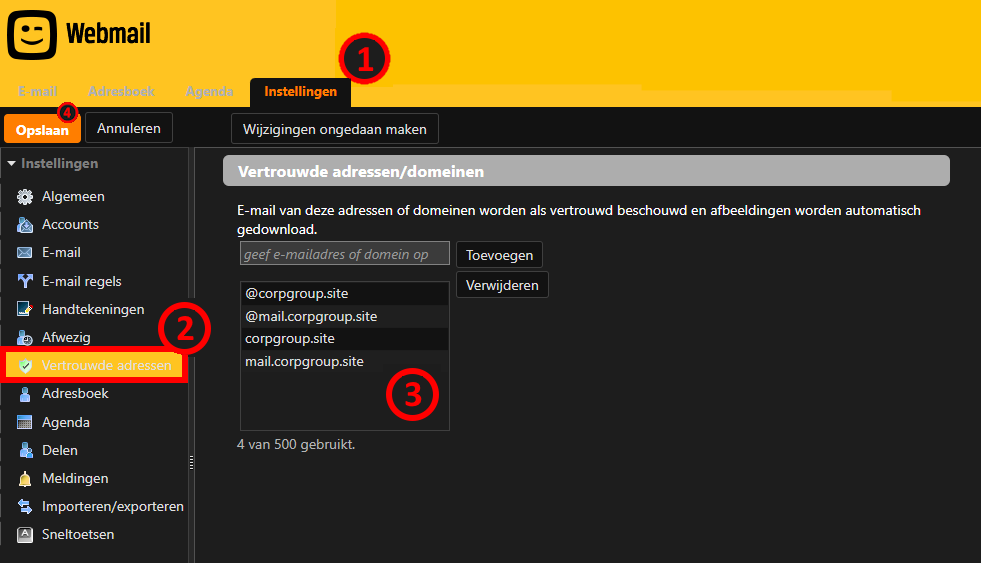
- Log in to your Telenet webmail (https://mail.telenet.be/mail) and select Settings.
- Navigate to Trusted addresses.
- Add the above domains and your accountant's full email address to the list.
- Click Save to confirm your changes.